How to Redeem Build A Mech Codes
Prep the redeem flow now so you claim rewards the minute codes go live.
Why this guide exists before codes are live
Build A Mech! (Roblox place by Gerwinfootball, released around 12 October 2026) does not currently ship a confirmed promo-code redemption system as of November 2026. You will not find a working Codes button that accepts public strings today. This guide still matters: when codes arrive, players who already know the redeem flow claim rewards in seconds while others scramble through menus.
Use this page together with the Codes Hub status table. If the hub still says none active, skip pasting random strings from unrelated mech games. Those codes will never apply here.
What Build A Mech! is (so you know what codes might reward)
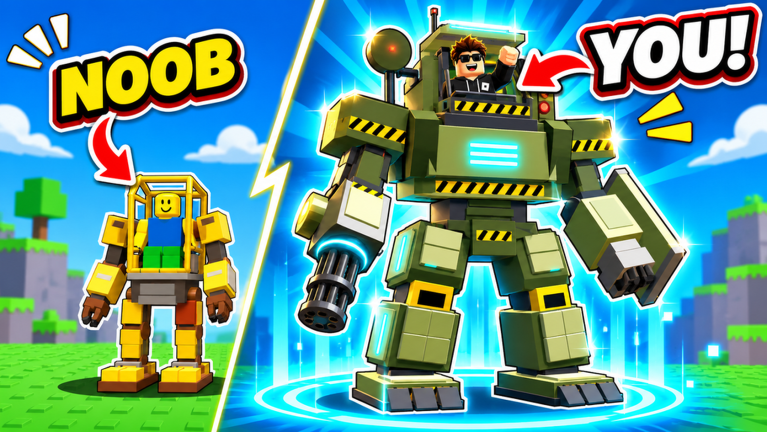
Build A Mech! is a free-to-play incremental simulator. You begin as a rusty scrap bot, collect parts across 11 arenas, assemble up to 30 mechs from tiny frames to giant Titans, chase paints that can be as rare as 1 in 10,000, earn cash offline, and pilot each mech yourself in small servers (about 4 players). Future codes—if added—will most likely grant cash, parts bundles, paint rolls, boosts, or cosmetic unlocks that accelerate that same loop.
Step-by-step: how to redeem when codes appear
Exact button labels can change after patches, but the safe workflow looks like this:
- Open the official experience — Launch Build A Mech! from Roblox using the real place tied to this wiki, not a copycat title with a similar name.
- Finish the tutorial prompts — Some games hide shop and codes UI until the first onboarding beats complete. If menus feel locked, finish early objectives from Getting Started.
- Find the Codes / Redeem control — Check the main HUD, shop panel, settings gear, gift icon, or news popup. Roblox simulators often place redeem near cash or inventory.
- Copy the code carefully — Paste from the Codes Hub Active table. Watch capital letters, numbers that look like letters (0 vs O), and trailing spaces.
- Submit once and wait — Spam-clicking can look like a failed redeem. Give the server a moment to grant items.
- Verify the reward — Check cash total, inventory, paint collection, and any on-screen toast. If nothing changed, note the exact error text.
- Rejoin once if needed — Soft desyncs happen. Leave the server, join again, and retry a single time before assuming the code is dead.
Checklist before you blame the code
- You are in Build A Mech! by Gerwinfootball, not another mech builder.
- The Codes Hub still lists the string as Active.
- Caps Lock and mobile autocorrect did not alter the string.
- You are not offline-only; redeem needs a live session.
- Inventory is not full in a way that blocks grants (sell duplicates if the game warns you).
- You already claimed the code on this account (most codes are once per account).
Common error messages and what they mean
| Message (typical) | Likely cause | What to do |
|---|---|---|
| Invalid / Unknown code | Typo or wrong game | Recopy from the hub; confirm UI exists |
| Expired | Timed drop ended | Move it mentally to Expired; wait for new drops |
| Already redeemed | Same account used it | Stop retrying; codes are usually one-time |
| Cannot redeem now | UI offline or patching | Rejoin after maintenance; check Updates |
| No Codes button | System not added yet | Correct for Nov 2026 — there is nothing to redeem |
What to do while waiting for codes
Codes are a bonus, not a progression plan. Keep growing with systems that already work:
- Part routes — How to Farm Parts teaches efficient arena sweeps and deposit timing.
- Mech ladder — Build Mechs Guide explains when to upgrade versus when to save for the next chassis toward Titan.
- Arena choice — Arenas Guide stops you from burning time in zones your current mech cannot clear.
- Offline income — Cash & Offline Earnings helps you leave the game in a state that still pays out.
- Target upgrades — Use the Mech Tier List so limited cash buys high-value frames first.
- Paint goals — Paint Tier List sets expectations for ultra-rare rolls so you do not stall the account chasing cosmetics only.
Community scripts that auto-farm or auto-deposit are discussed on the Scripts Hub. Using executors always risks your Roblox account—read that disclaimer before you experiment.
How this wiki will announce new codes
- We confirm a redeem UI exists in the live client.
- We test each string on a clean session.
- Working codes land in the Active table on the Codes Hub.
- Patch context goes on Updates.
- This how-to page gets a UI screenshot note if button names change.
Follow creator and Discord links from the Players Hub for first-look announcements, then return here for verified redeem steps.
Mobile vs desktop redeem tips
On mobile, open the full menu before hunting tiny icons, disable autocorrect when typing codes, and paste instead of retyping when possible. On desktop, keep the Codes Hub tab open beside Roblox so you can copy without memorizing long strings. Either platform: one careful attempt beats twenty mistyped retries.
Safety reminders
- Never share your Roblox password or account cookie with anyone promising “code generators.”
- Never buy codes from strangers—official codes are free.
- Prefer links from this wiki, the official Discord, and Gerwinfootball over random download sites.
- If a site asks you to complete surveys for codes, leave. That pattern is unrelated to Build A Mech! rewards.
Related links
Stay ready, keep farming, and redeem instantly when the first real codes land.
Frequently Asked Questions
Quick answers to the most common questions.
Can I redeem Build A Mech codes today?
Not reliably. As of November 2026 there is no confirmed active redemption system, so there are no working codes to enter.
Where will the Codes button appear?
Expect it near the HUD, shop, settings, or gift/news UI once the developer adds redemption. If you cannot find any Codes control, the feature is not live yet.
Why does my code say invalid?
Usually a typo, wrong game, expired drop, or the redeem system is still offline. Recopy from the Codes Hub and confirm the Active status.
Do codes work offline?
No. You need an online Roblox session in Build A Mech! to submit and receive rewards.
What should I do if there are no codes?
Progress through farming, mech upgrades, arenas, and offline cash using the guides linked on this page.