Build A Mech Controls
Device-agnostic control intents so you never fumble deposit, seating, or shop taps mid-farm.
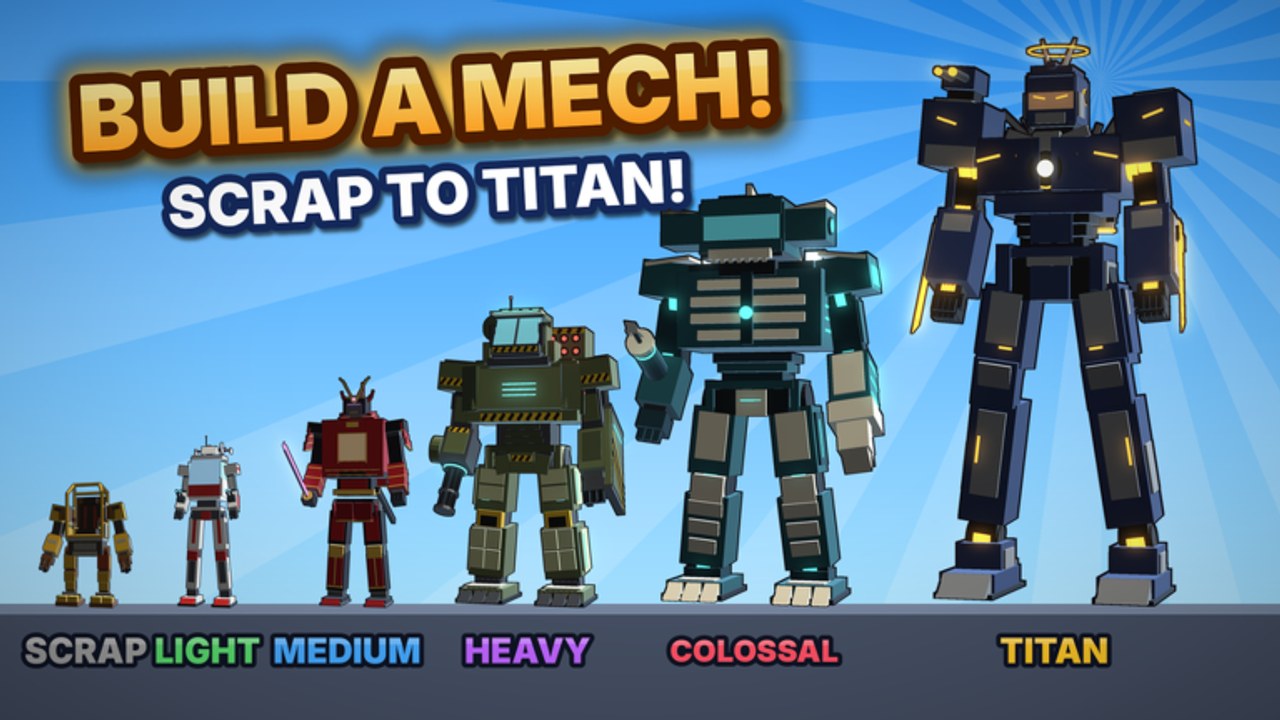
Controls that match the fantasy
Build A Mech! runs on Roblox, so exact keybinds differ between keyboard, controller, and touch. This guide teaches intentions—what you must be able to do reliably—then maps them to common Roblox habits. Master these before you chase harder bands in the Arenas Guide or long routes in Farm Parts.
Game context: Gerwinfootball’s free incremental simulator (~12 October 2026), 11 arenas, ~30 mechs, rare paints, offline cash, self-piloted frames, ~4-player servers.
Core intents every pilot needs
| Intent | Why it matters | Failure mode |
|---|---|---|
| Move + camera | Spot piles early | Walking past loot |
| Collect / interact | Pick up parts | Empty trips |
| Sprint / mobility | Shorten haul time | Slow economy |
| Inventory awareness | Know when full | Death with full pack |
| Deposit / deliver | Convert haul to progress | Fake “progress” |
| Enter / exit mech | Pilot owned frames | Stuck on foot in danger |
| Open shop / upgrades | Spend cash intentionally | Misbuys on mobile |
| Menu / codes panel | Future redeem UI | Missing freebies later |
Practice each intent once in a safe arena during Getting Started before optimizing speed.
Desktop / keyboard habits
- Keep the camera slightly elevated so part piles silhouette against the ground.
- Bind or muscle-memory the Roblox jump/sprint defaults you already use in other experiences.
- Open inventory and shop with deliberate key presses—never while sprinting into a cliff.
- When seating into a mech, stop moving first so the enter prompt does not fight camera swing.
- After depositing, glance at cash and upgrade costs before running out again (Build Mechs).
Mobile / touch habits
- Pause thumb movement before tapping tiny HUD buttons; most misbuys happen mid-strafe.
- Enlarge or reposition on-screen controls in Roblox settings if deposit icons feel cramped.
- Use short taps for collect and longer holds only when the UI asks for them.
- Rotate the camera with a dedicated thumb so piles behind you are not invisible.
- When the shop opens, read the selected item name twice—touch UIs love accidental confirms.
Controller notes
If you play with a gamepad:
- Confirm which face button Roblox mapped to “interact” in this experience.
- Soft-aim the camera with the right stick before committing to a pile line.
- Open menus from a standstill; analog drift plus shop focus equals wrong purchases.
Piloting vs on-foot controls
You pilot every mech yourself. Expect handling to change when you seat:
- Turn radius, sprint feel, and camera distance can shift with chassis tier.
- Practice enter → short drive → exit in a safe yard after every new unlock (Mech Tier List).
- Do not learn a brand-new frame inside a contested mid arena.
Deposit UX discipline
Whatever the button looks like this week, the discipline stays:
- Notice full-cargo cues early.
- Path home before you “just grab one more.”
- Confirm the deposit feedback (cash bump, empty pack, sound/UI flash).
- Only then plan the next sweep.
Undeposited cargo is the most common silent account killer—see Tips and Tricks.
Shop and codes panels after updates
Live ops can move buttons. After the 8 November 2026 Roblox listing update (and any future splash):
- Re-open shop, upgrades, paints, and settings once.
- Look for a Codes / Redeem control even if Codes still reports none active.
- Bookmark How to Redeem so the flow is familiar when strings appear.
Accessibility and comfort
- Lower camera shake / raise UI scale in Roblox settings if menus blur mid-combat.
- Take breaks during long farm sessions; tired thumbs miss deposits.
- Colorblind pilots: rely on silhouette and sparkle FX for piles, not paint hue alone (Rare Paints).
Practice drill (five minutes)
- Collect three piles without sprinting past any.
- Deposit once and verify empty cargo.
- Open shop, highlight one upgrade, cancel without buying.
- Enter your current mech, drive a short loop, exit.
- Log out clean for offline cash (Cash guide).
If any step feels clumsy, repeat it before harder arenas.
Related pages
Controls mastery is quiet power—every clean deposit starts with fingers that know the HUD.
Frequently Asked Questions
Quick answers to the most common questions.
Are Build A Mech keybinds the same on mobile and PC?
No. Roblox layouts differ. Learn the intents—move, collect, deposit, pilot, shop—then map them to your device.
Why do I keep misbuying in the shop?
Usually mid-movement taps on mobile or rushing menus on desktop. Stand still, read the item name, then confirm.
Should I practice piloting in hard arenas?
No. Seat new mechs in a safe area first, then take them into contested bands.
Where is the codes button?
A dedicated redeem UI is not confirmed active as of November 2026. Recheck menus after updates and follow the How to Redeem guide when it appears.